


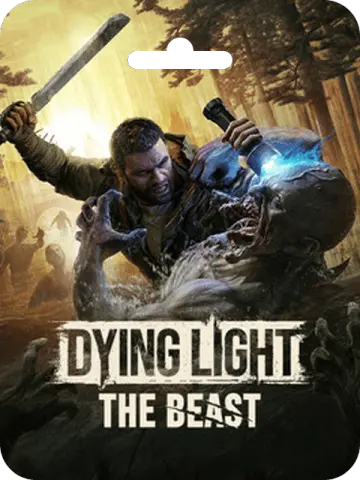
Dying Light: The Beast (Steam)
About Dying Light: The Beast (Steam)
Dying Light: The Beast (Steam) is a digital game card for the action survival horror title developed and published by Techland. This Global region card lets players in Bangladesh activate the game on their Steam account and dive into a story-driven open-world experience. The card is not available in Japan, so customers in Bangladesh should have no issue using it locally.
In Dying Light: The Beast, you step back into the role of Kyle Crane, the protagonist from the original Dying Light. After being captured by a villain known as the Baron and subjected to years of painful experiments, Crane finally escapes. However, the experiments have left a dangerous side effect: zombie DNA now fights against his human DNA, giving him a monstrous inner beast. To survive and seek revenge, you must learn to control this beast, making it your only weapon against the horrors ahead.
The game takes place in the zombie-infested Castor Woods, a new region that offers a mix of dense forests, abandoned settlements, and dangerous ruins. As you explore this open world, you will face relentless enemies, scavenge for supplies, and craft weapons to stay alive. When night falls, the danger escalates dramatically, and every encounter becomes a fight for survival. The game combines parkour movement, melee combat, and survival mechanics to deliver a tense and immersive experience.
Key Features of the Game
- Play as Kyle Crane, the iconic protagonist from the first Dying Light game.
- Experience a new story filled with revenge, inner conflict, and moral choices.
- Explore the open world of Castor Woods, a dangerous and detailed environment.
- Use parkour to traverse the terrain and escape or outmaneuver enemies.
- Fight zombies and human foes with a variety of melee and ranged weapons.
- Manage the beast within you, unlocking powerful abilities that can turn the tide of battle.
- Survive the night, where enemies become more aggressive and deadly.
How to Activate on Steam
To activate your Dying Light: The Beast (Steam) game card, follow these steps:
- Launch the Steam client and log into your Steam account.
- Click the "Games" menu at the top of the client.
- Select "Activate a Product on Steam."
- Follow the on-screen instructions to enter the product code and complete activation.
Once activated, the game will be added to your Steam library, and you can download and play it at your convenience.
Payment and Delivery for Bangladesh Customers
For customers in Bangladesh, purchasing this digital product is straightforward. You can pay using bKash, Nagad, bank transfer, credit or debit cards, cryptocurrency, and other supported payment methods. After your order is processed, the game card details will be delivered digitally, allowing you to activate the game on Steam without any physical shipping. This makes it a convenient option for gamers in BD looking to expand their library.
Important Notes
This product is marked as Global, but please be aware that it cannot be activated in Japan. Before purchasing, we recommend checking your Steam account's region settings to ensure compatibility. All purchases of this digital product are non-refundable and non-returnable, so please double-check your order details before completing the transaction.
Dying Light: The Beast offers a gripping single-player experience that blends action, horror, and survival. Whether you are a longtime fan of the series or new to the franchise, this game promises hours of intense gameplay. If you are looking for a digital game card in Bangladesh, this Steam card is a reliable choice.
What Is the Cheapest Price of Dying Light: The Beast (Steam) in Bangladesh?
The cheapest Dying Light: The Beast (Steam) price in Bangladesh is ৳8,702-৳9,548! You can buy authentic Dying Light: The Beast (Steam) at K2ZI with bKash, Nagad, or Bank Transfer. Enjoy fast delivery, exclusive offers, and daily support. Order now for the best experience!
Instructions
How to Activation a Product on Steam?
- Launch the Steam client software and log into your Steam account.
- Click the Games menu option at the top of the Steam client.
- Choose Activate a Product on Steam.
- Follow the onscreen instructions to complete the process.