


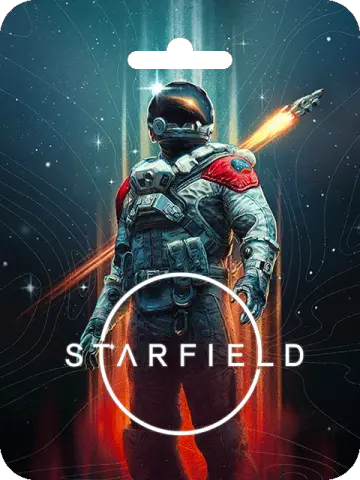
Starfield (Global)
About Starfield (Global)
Starfield is the first new universe in over 25 years from Bethesda Game Studios, the award-winning creators of The Elder Scrolls V: Skyrim and Fallout 4. This next-generation role-playing game lets you create any character you want and explore with unparalleled freedom as you embark on an epic journey to answer humanity's greatest mystery. Available in Bangladesh as a digital product in BD, Starfield brings the vastness of space to your PC or Xbox.
This page covers the Global version of Starfield, which is available for both Steam and Xbox platforms. You can choose from the Standard Edition, Premium Edition, Premium Edition Upgrade, or the Shattered Space expansion, depending on your preference and platform. Each edition offers a different level of content, so you can pick the one that best suits your gaming style.
Explore the Starfield Universe
Set in a meticulously crafted sci-fi universe, Starfield offers a deep role-playing experience with countless planets to discover, factions to join, and mysteries to unravel. The game combines classic Bethesda storytelling with innovative space exploration, allowing you to pilot your own ship, engage in space combat, and build outposts on alien worlds. Whether you prefer to follow the main story or carve your own path, the choices you make will shape your journey.
With the Premium Edition, you gain access to additional content such as the Shattered Space story expansion, digital artbook, and original soundtrack, enhancing your experience even further. The Premium Edition Upgrade is ideal for those who already own the Standard Edition and wish to upgrade to the Premium content. The Shattered Space expansion adds a new narrative chapter with fresh locations and quests, perfect for players looking for more adventures in the Starfield universe.
Platform and Region Information
This product is marked as Global, meaning it is intended for worldwide use. However, we recommend that customers in Bangladesh verify region compatibility with their Steam or Xbox account before purchasing to ensure a smooth redemption process. The game is available for both PC (via Steam) and Xbox consoles, so you can enjoy it on your preferred gaming setup.
For Steam users, the redemption process is straightforward: log into your Steam account, go to the Games menu, select 'Activate a Product on Steam', agree to the subscriber agreement, and enter the product code. For Xbox users, log into your Xbox account, navigate to the redeem code section, enter the code, and confirm the redemption. Detailed instructions are provided after purchase to guide you through the process.
Payment and Delivery for Bangladesh Customers
Customers in Bangladesh can conveniently purchase Starfield using popular local payment methods such as bKash and Nagad, as well as bank transfer, credit or debit cards, cryptocurrency, and other supported payment gateways. Digital delivery is available, ensuring you receive your game code quickly and securely. This makes it easy for gamers in BD to get their hands on this highly anticipated title without any hassle.
Whether you're a longtime fan of Bethesda's RPGs or new to the studio's work, Starfield promises an unforgettable adventure across the stars. With its vast open world, engaging story, and endless possibilities, it's a must-have for any science fiction enthusiast. Order today and start your journey through the cosmos.
What Is the Cheapest Price of Starfield (Global) in Bangladesh?
The cheapest Starfield (Global) price in Bangladesh is ৳3,320-৳9,061! You can buy authentic Starfield (Global) at K2ZI with bKash, Nagad, or Bank Transfer. Enjoy fast delivery, exclusive offers, and daily support. Order now for the best experience!
Instructions
How to redeem Starfield (Global) on Steam?
- Launch the Steam client software and log into your Steam account.
- Click the Games menu option at the top of the Steam client.
- Choose 'Activate a Product on Steam'. A Product Activation window should pop up on screen.
- Read the 'Steam subscriber agreement' in its entirety and you must agree with the terms to continue.
- Click 'I agree'. Next, Enter the product code you wish to add to your Steam library and God of War will be added to your Steam account.
How to redeem Starfield (Global) on Xbox?
- Login to your Xbox account
- Click on your Avatar in the top right and click redeem code
- Click "Redeem" in the middle of the page
- Enter your code and click "Redeem"
- Confirm redemption by clicking "Confirm"
- Click "Close" after a successful redemption