


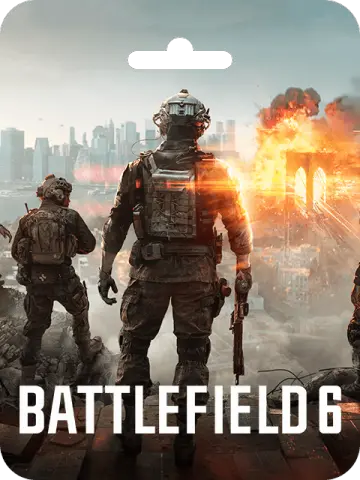
Battlefield 6 Coins (EA App)
About Battlefield 6 Coins (EA App)
Battlefield 6 Coins are the premium in-game currency for the latest installment in the Battlefield series. These coins let you unlock a variety of cosmetic items, including soldier outfits, weapon skins, vehicle customizations, and more. You can also use them to purchase the Battle Pass, which unlocks additional rewards as you play. Whether you are a casual player or a dedicated fan, having a supply of Battlefield Coins enhances your experience by letting you personalize your loadout and stand out on the battlefield.
This digital product is available in Bangladesh, and you can choose from four different coin amounts: 1100, 2400, 5000, or 13000. The coins are delivered as a code that you redeem through the EA App on Windows or the Origin client on Mac. The code is marked Global, so it should work in most regions, but we recommend checking your EA account's region compatibility before purchasing.
What Can You Do with Battlefield Coins?
Battlefield Coins are versatile and can be spent in the in-game store on a wide range of items. Here are some examples of what you can unlock:
- Soldier skins and outfits
- Weapon skins and blueprints
- Vehicle skins and decals
- Cosmetic accessories like charms and tags
- Battle Pass tiers and rewards
By using coins, you can customize your soldier to look exactly how you want, making your presence known on the battlefield. The Battle Pass is a great way to earn exclusive rewards as you progress through the season, and coins let you unlock it instantly.
How to Redeem Your Code
Redeeming your Battlefield 6 Coins is straightforward. Here is how to do it on different devices:
On Windows (EA App):
- Download and install the EA App from the official EA website.
- Log in to your EA account.
- Open "My Collection" from the menu.
- Select "Redeem Code."
- Enter the unique code you received from your order and follow the prompts.
On Mac (Origin):
- Log in to the EA account where you want to add the coins.
- In the top menu, go to "Games" and select "Redeem Code."
- Enter your unique code and follow the prompts.
After redemption, the coins will be added to your account and ready to use in the game.
Payment and Delivery for Bangladesh Customers
Customers in Bangladesh can easily purchase Battlefield 6 Coins using popular local payment methods like bKash and Nagad, as well as bank transfer, credit/debit cards, and cryptocurrency. This is a digital product in BD, so you will receive your code online—no physical shipping required. Once your order is processed, the code will be available on your account's order page, and you can redeem it immediately.
We understand that gamers in Bangladesh want a smooth and secure transaction, so we offer flexible payment options and reliable digital delivery. If you have any questions about the process, our support team is available to help.
Important Notes
Please ensure that your EA account is in a region where the code can be redeemed. While the product is marked Global, some regional restrictions may apply. Also, remember that all purchases are subject to our standard refund policy, so be sure to review it before buying.
Whether you are gearing up for intense multiplayer battles or want to show off your style, Battlefield 6 Coins are the perfect way to enhance your game. Get yours today and join the fight!
What Is the Cheapest Price of Battlefield 6 Coins (EA App) in Bangladesh?
The cheapest Battlefield 6 Coins (EA App) price in Bangladesh is ৳1,470-৳13,629! You can buy authentic Battlefield 6 Coins (EA App) at K2ZI with bKash, Nagad, or Bank Transfer. Enjoy fast delivery, exclusive offers, and daily support. Order now for the best experience!
Instructions
How to Redeem Battlefield 6 Coins (EA App)?
Redeem with EA App?
- Click here: https://www.ea.com/ea-app/ to download the EA App for Windows.
- Log in to your EA Account.
- Open My Collection.
- Select Redeem Code.
- Enter your unique code that's displayed on the Orders page of K2ZI.com and follow the prompts to activate.
- Please note that the EA App is only available for Windows. For MacOS, please download the Origin client.
Redeem with MacOS?
- Log in with the EA Account where you want to add the game.
- Go to your computer's top menu and select Games > Redeem Code.
- Enter your unique code that's displayed on the Orders page of K2ZI.com and follow the prompts to activate.