


You can log in to K2ZI using the same email you used when placing your order. This helps you view your orders, delivered goods, subscriptions, downloads, and more from one account.
Quick links:
Simple Steps
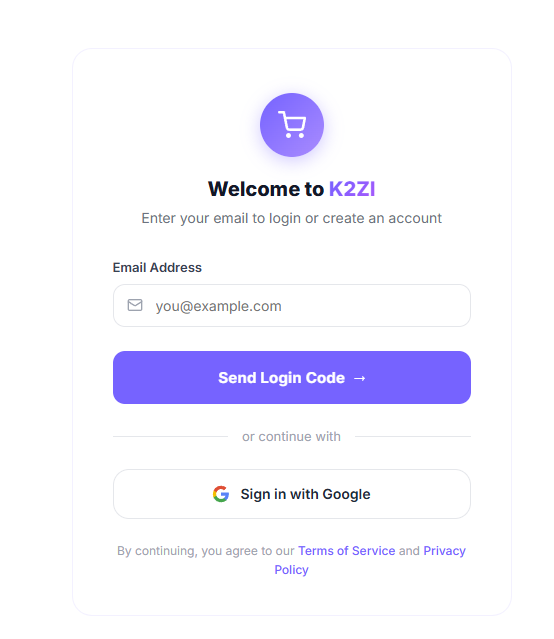
1. Open the Login Page
Go to the K2ZI login page. Enter the same email address you used for your order.
You can continue with OTP login or sign in with Google using that email.
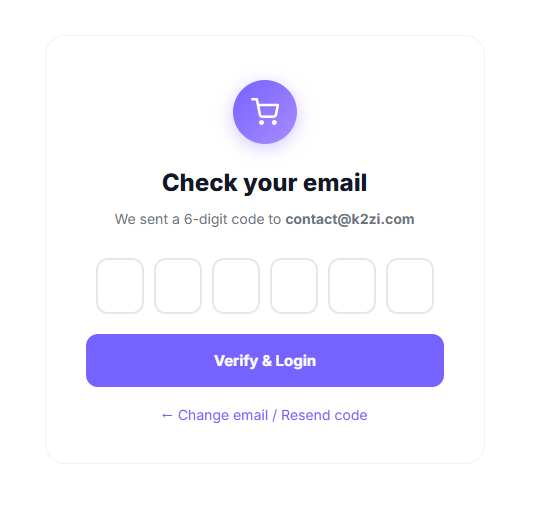
2. Check Your Email for the Code
If you choose OTP login, K2ZI will send a 6-digit login code to your email. Enter the code and verify your login.
If you do not have an account yet, one can still be created automatically when you log in with your order email.
3. Access Your Account Dashboard
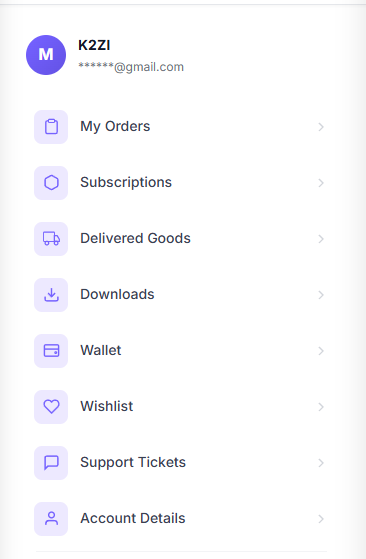
After login, you can open your dashboard and check your account sections like orders, subscriptions, delivered goods, downloads, wallet, and support tickets.
This is where you can manage your purchases and view your product details.
Important Tip
Always use the same email address you used during checkout. That is the easiest way to find your order, delivery details, and subscription access.
What You Can Check After Login
- My Orders
- Delivered Goods
- Subscriptions
- Downloads, wallet, wishlist, and support tickets
Logging in with your order email is the fastest way to access your K2ZI purchases and account details.